
ZONE 2 CARDIO TRACKER
Your zone 2 minutes,
added up for you.
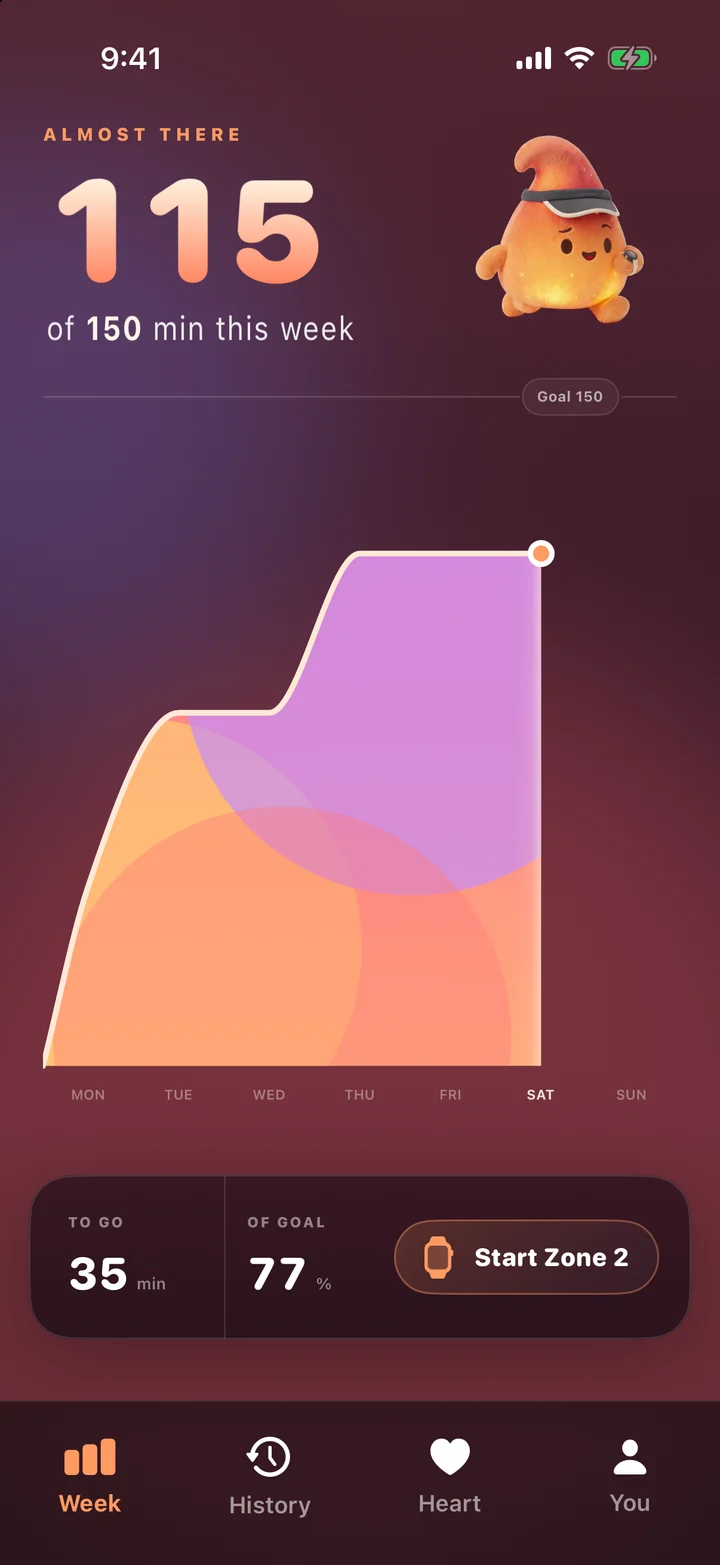
Your Apple Watch shows heart rate zones one workout at a time. Base keeps the weekly total: every walk, ride and run, plus everyday activity that qualifies, against a goal you set.
Free for 14 days. iPhone and Apple Watch, with Apple Health.
WHY ZONE 2
Why easy minutes
are worth counting.
Steady, easy effort builds aerobic fitness, and you don’t have to go hard to get there. The research measures training week by week, so Base counts the same way.
A stronger base.
Low-intensity endurance training can improve aerobic fitness. You do not have to make every workout an all-out effort to build capacity.
Evidence from low-intensity training trialsMuscles that adapt.
Steady endurance training can improve markers of the muscle machinery that uses oxygen and fat for energy during sustained exercise.
Evidence from broader endurance trainingCapacity for life.
Aerobic fitness is part of staying physically capable as you age. Think of the walks, trips and everyday movement you want to keep doing.
Healthy-aging evidence, not a lifespan promise“It was the consistency over 50 years that got them there.”
Explore the science
Aerobic fitness: a 2026 synthesis of 50 randomized studies found that low-intensity endurance training improved aerobic fitness in healthy adults aged 18–65, with smaller average improvements in blood pressure and blood lipids. It studied a broader low-intensity range, not one app’s zone boundaries. Read the research.
Muscle energy systems: a six-week cycling study found improved mitochondrial markers and greater fat use during exercise after steady endurance training. Sprint training produced similar adaptations; this was not a zone-2-only experiment, and greater fat use is not the same as body-fat loss. Read the research.
The aging story: Galpin coauthored a small observational study of nine lifelong endurance athletes and six untrained men aged 80 and over. The athletes had much higher aerobic capacity. This supports the long view on fitness; it does not prove that zone 2 alone preserves independence or extends life. Read Galpin’s study.
Zone 2 is an approachable part of a broader routine, not a replacement for strength work or other appropriate activity. General guidance recommends at least 150 minutes of moderate activity, or 75 vigorous minutes, or a combination, plus strength work on two days—not 150 minutes in one heart-rate zone. CDC activity guidance.
HOW BASE COUNTS
Nothing to log.
Keep recording workouts the way you already do. Base reads them from Apple Health and credits only the minutes your heart rate spent in your zone.
- 01 / RECORD
Wear your watch.
Record a walk, ride or run with Apple Watch, or with any app that saves heart rate to Apple Health.
- 02 / COUNT
Base checks each minute.
Minutes inside your zone count toward your week. Everyday activity can count too, when your watch logged enough heart-rate readings.
- 03 / FINISH
See what’s left.
Your week shows minutes done, minutes to go, and what would finish it, such as one 46-minute ride.
Not every recorded minute counts. Gaps in heart-rate readings don’t count, and neither does heart rate you typed in by hand. Outside a workout, Apple Health also needs supporting Apple Exercise Time.
What Base does

ON YOUR WRIST AND HOME SCREEN
One number,
where you already look.
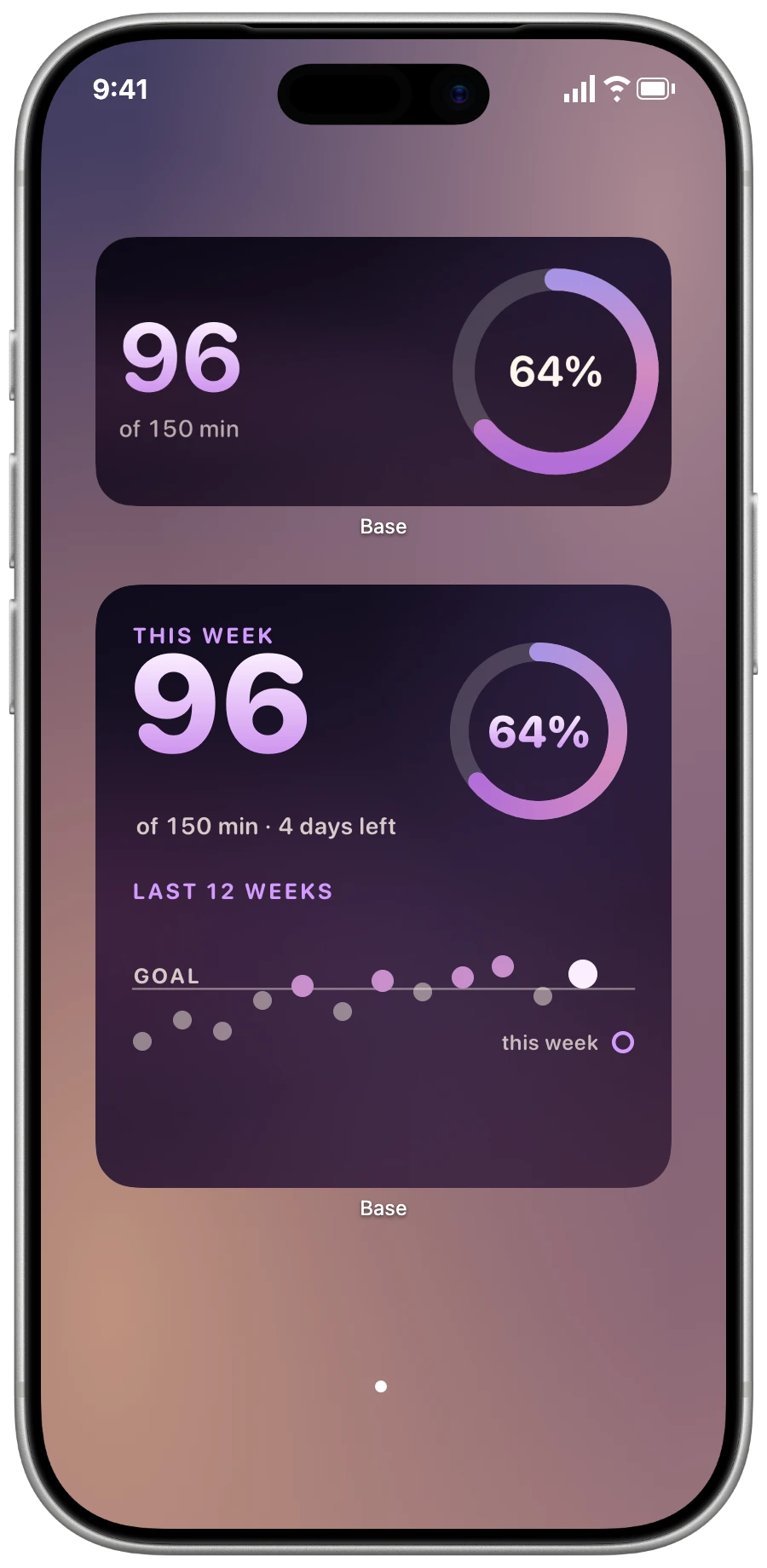
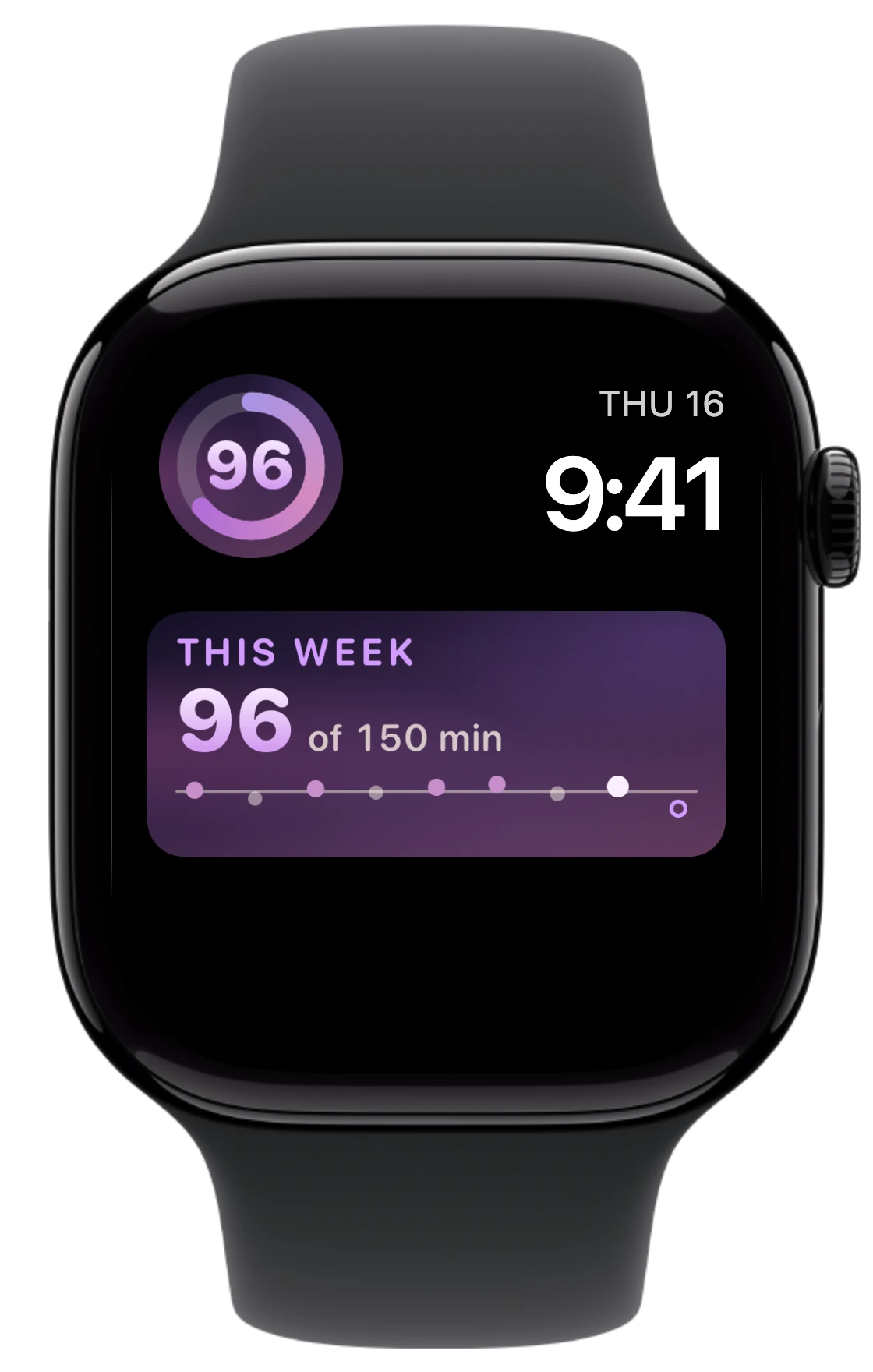
Widgets and complications show this week’s minutes against your goal.
- iPhone widgets.Pick a size for your Home Screen.
- Apple Watch complications.Put your week on your watch face.
These show your latest synced week. For live heart rate, start a workout in the Base Watch app .
WHAT COUNTED, AND WHY
Every minute
has a source.
Open your week to see the walk, ride or everyday activity behind each minute, the zone it was measured against, and how strong the heart-rate signal was.
Then look back by week, month or year. Base sticks to zone 2. It won’t score your sleep or your strain.
Start with our Apple Watch guide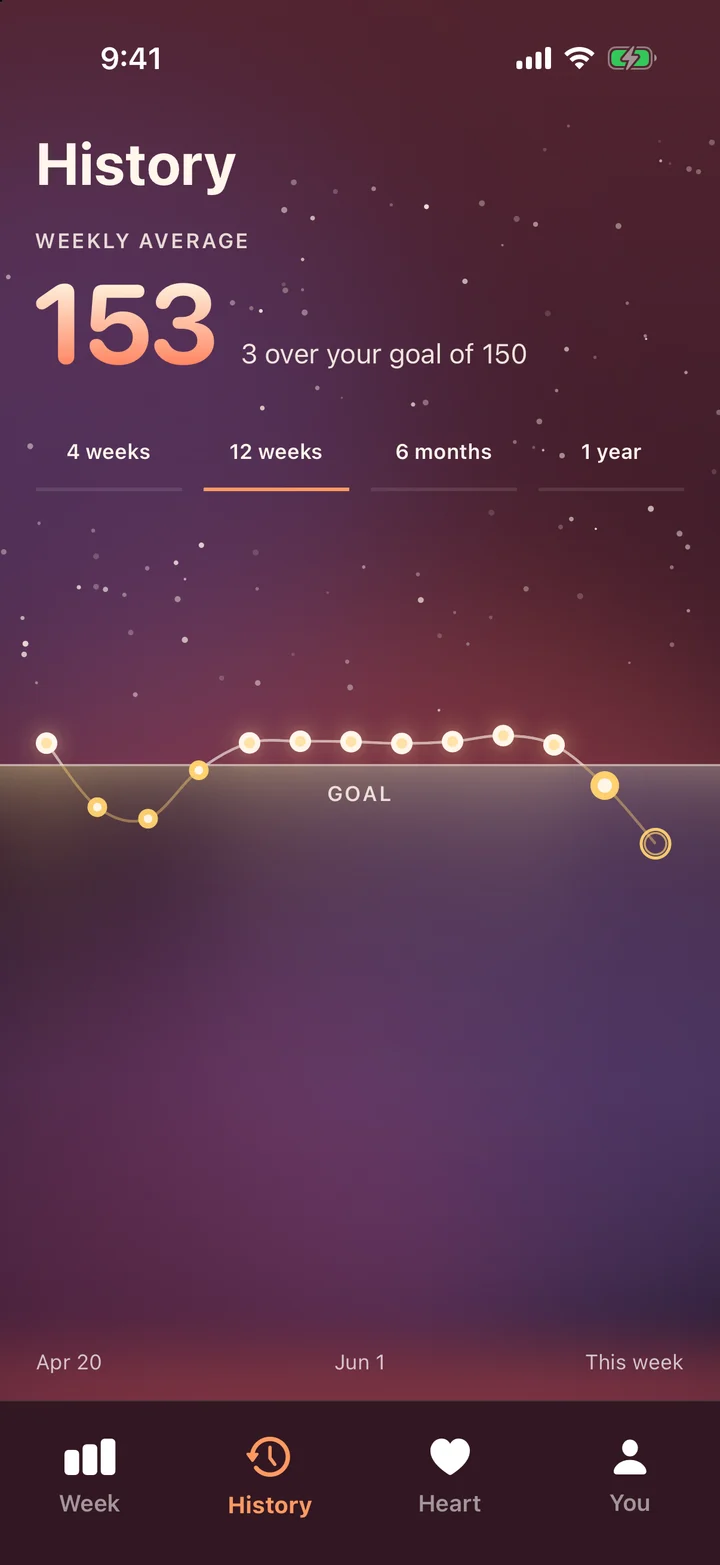
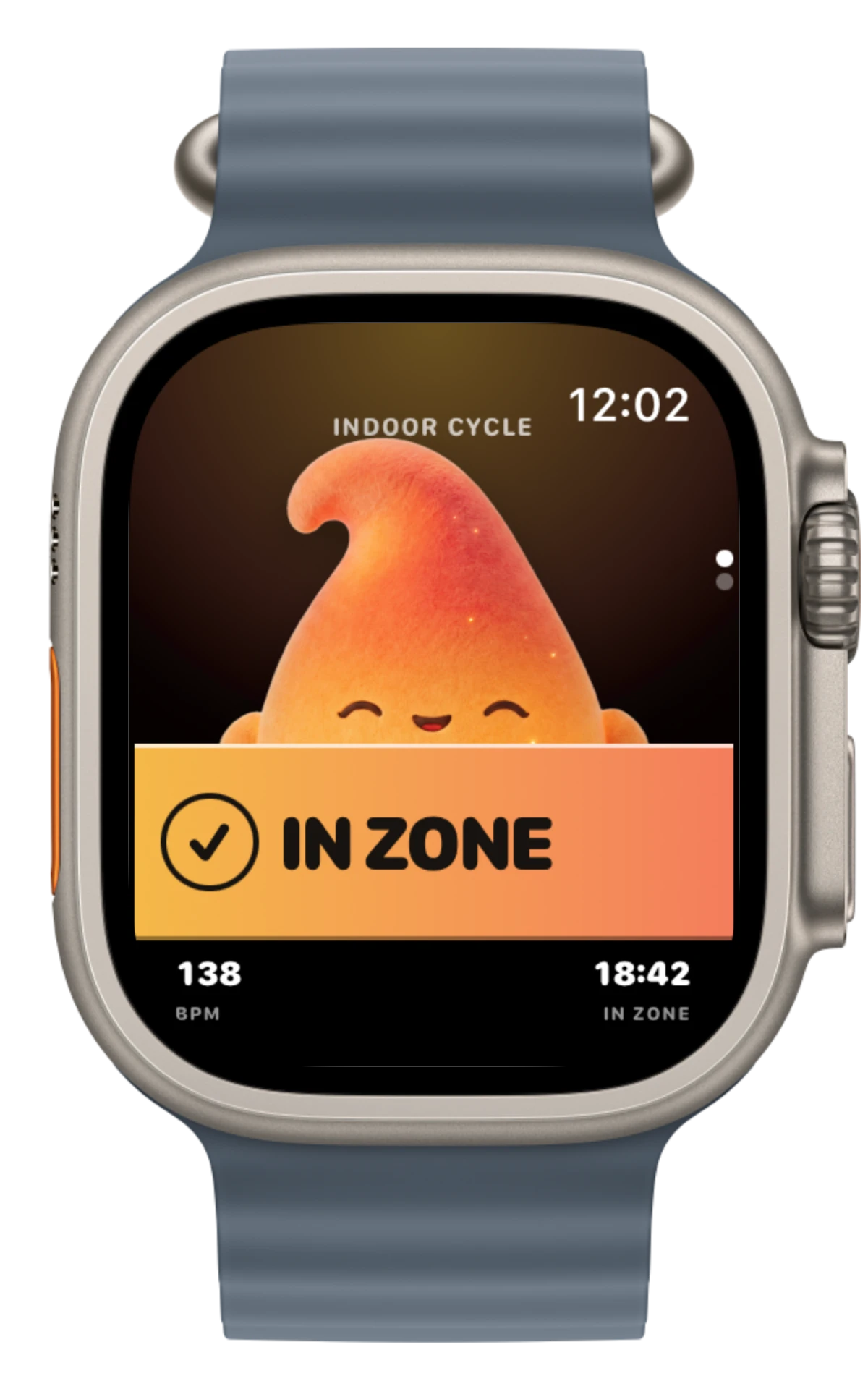
One buzz when you get here.
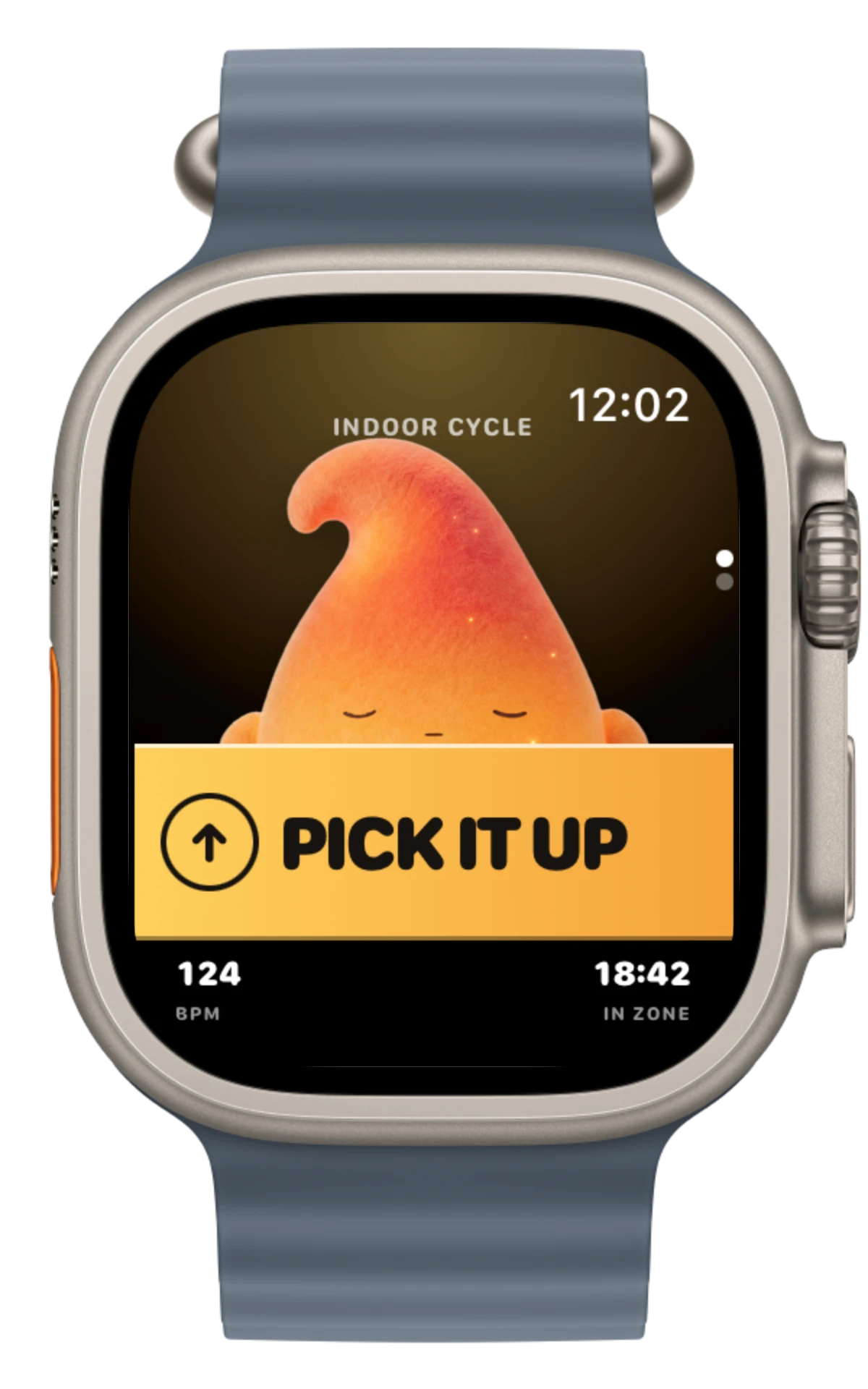
Two buzzes: pick it up.
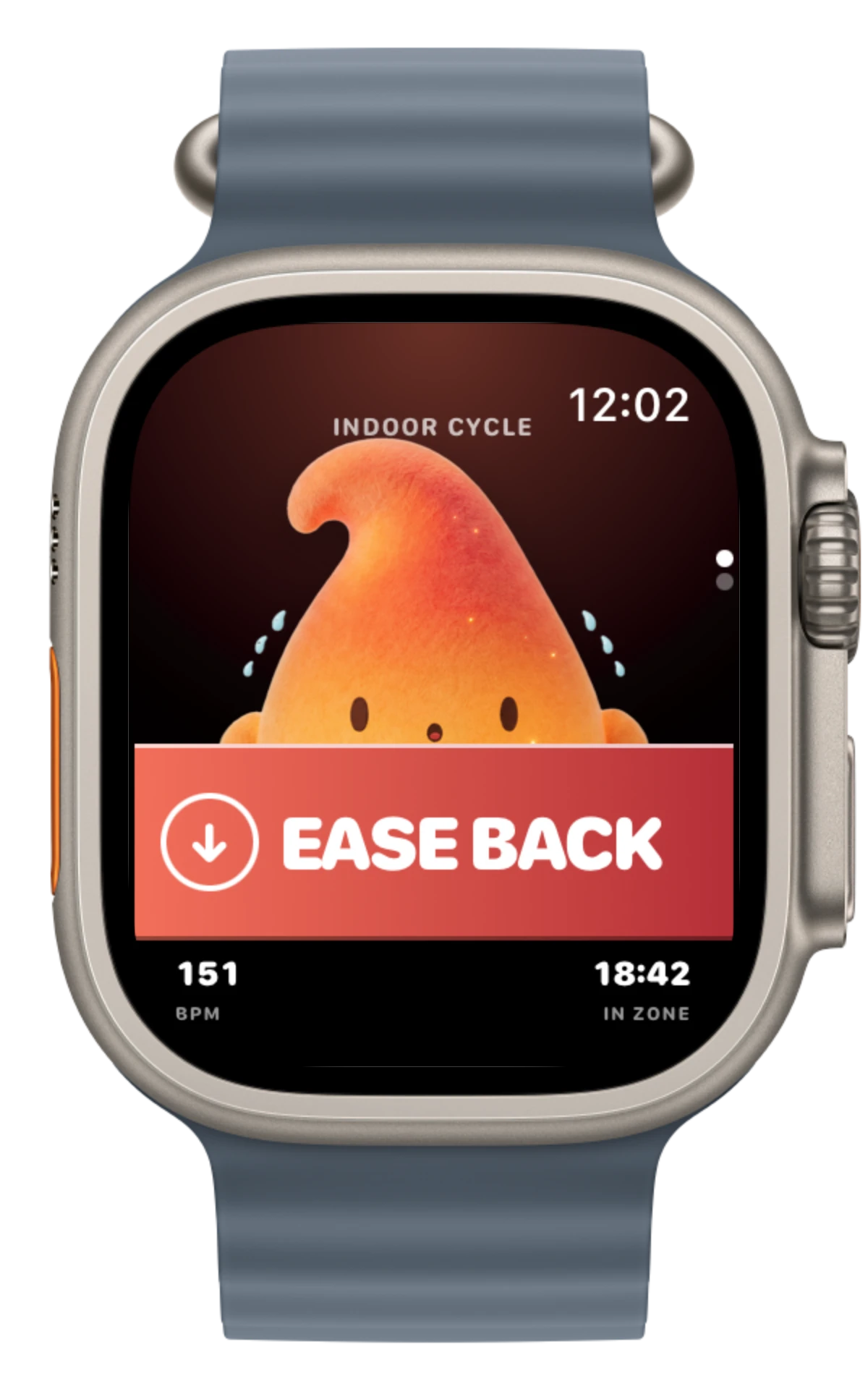
Two buzzes: ease back.
Current Watch app · illustrative demo data
Apple Watch Ultra 3 · example range, not a recommendation
LIVE ON APPLE WATCH
Two buzzes:
out of zone.
Start a zone 2 workout on Apple Watch. It buzzes twice when you drift out of your zone and once when you’re back. No voice over your music.
- Start on your watch or your phone.Apple Watch records the session. Your iPhone can mirror it.
- Plain cues.“Pick it up” when you’re below your zone. “Ease back” when you’re above it.
Live workouts need Apple Watch. Widgets show the week; the Watch app guides the workout.
More about zone 2 on Apple WatchNEW TO ZONE 2?
Start here.
See your zones.
Understand your week.
What your Watch already does, and what a weekly tracker adds.
YOUR WEEKHow much
is enough?
Separate general activity guidance from a personal zone 2 goal.
THE SCIENCEMore than
minutes on a screen.
Aerobic fitness, muscle energy and healthy aging: explore the evidence.
A FEW GOOD QUESTIONS
Before you begin.
What is zone 2 cardio?
Zone 2 commonly describes an easy, sustainable aerobic effort in a five-zone training model. It is often discussed as aerobic base training. The exact heart-rate range depends on the method and the person; a zone label is not a medical measurement.
How does Base work out my zone 2?
It starts from your age. Once Apple Health has seven days of resting heart rate, Base switches to a range built on your resting heart rate (the Karvonen method), which fits you more closely. You can also choose 180 minus your age (MAF) or set your own top and bottom.
How does Base track my zone 2 minutes?
With your permission, Base counts qualifying zone 2 time from recorded workouts and verified everyday activity toward your weekly goal. Available heart-rate evidence, your zone range and your activity settings determine what counts. Unsupported gaps do not count.
Do I need to start a workout?
No. Keep using the workout app you love: if it saves your workouts and heart rate to Apple Health, Base counts them. Base can also count qualifying activity outside a recorded workout when Apple Health has sufficiently frequent heart-rate readings and supporting Apple Exercise Time. Recording a workout remains a reliable way to provide the data Base needs; not every incidental movement qualifies. For live zone guidance, start a Base workout from iPhone or Apple Watch. Apple Watch records the session; iPhone can mirror it.
Can I see my zone 2 progress without opening Base?
Yes. Base offers iPhone Home Screen widgets and Apple Watch complications for your latest synced weekly minutes and goal progress. They are weekly-progress views, not continuous heart-rate monitors. For live heart rate and zone guidance, start a Base workout with Apple Watch.
Why might Base and Apple Watch show different zone 2 totals?
Compare the actual heart-rate boundaries, workout selection and available samples, not just the zone label. Different methods and counting rules can produce different totals from the same session.
Is 150 minutes a week a zone 2 prescription?
No. Public-health recommendations cover overall moderate or vigorous activity, not 150 minutes in one app-defined heart-rate zone. Base lets you follow a weekly goal, but that goal does not replace an individual exercise plan or strength training.
Does my heart data leave my device?
Your heart-rate readings, workout records and zone 2 totals are processed on your devices and aren’t sent to our analytics. From Base 1.0.3, usage analytics and crash reports are on by default and can be turned off anytime in the app; in the UK, Norway, Iceland or Switzerland, or where Base can’t tell your region, they stay off until you agree. From Base 1.0.4, the same goes for the EU and Liechtenstein. The privacy notice has the details.
What does Base cost?
Base needs a subscription: $29.99 a year or $3.99 a month, and eligible subscribers can try it free for 14 days. Prices are in US dollars; the App Store shows yours.
What do I need?
An iPhone on iOS 26 or later, and heart-rate data in Apple Health. Apple Watch is the most direct source and is required for live workouts; the Watch app needs watchOS 26 or later. You don’t need a Base account.
More questions? Visit support. For personal exercise advice, speak with a qualified clinician.
ON THE APP STORE
See this week’s number.
Free for 14 days, then $29.99 a year or $3.99 a month.

Requires iOS 26 and watchOS 26 or later.
Privacy & details
Your health data stays yours.
HealthKit-derived data stays on your devices. Product analytics and crash reporting are separate; our privacy notice explains the details.
Who you’re hearing from.
Base Cardio LLC
605 West 9th Street #1058, Austin, TX 78701, United States
hello@basecardio.com
Base is not a medical device and does not diagnose, treat or guarantee health outcomes. Screens show illustrative demo data, not personal results. Apple, iPhone, Apple Watch and Apple Health are trademarks of Apple Inc.