Apple Watch · 5 min read
Zone 2 on Apple Watch: find your zones and understand your week
Apple Watch can show Heart Rate Zones during supported workouts. Start with Apple's own workout view, check how your zones are configured, and distinguish a single workout's zone breakdown from your weekly habit.
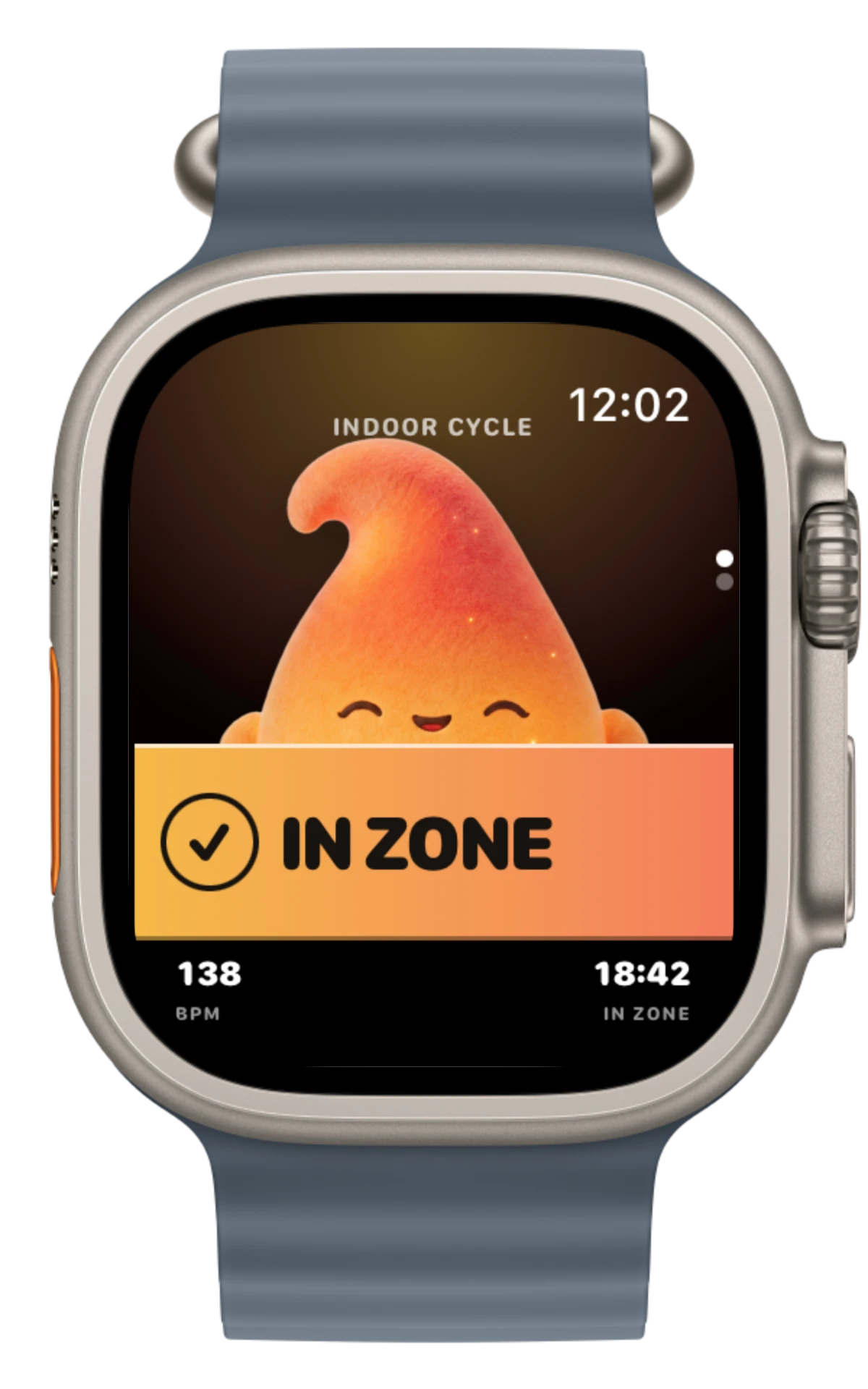 Base Watch · Demo data
What Apple Watch already does
You do not need Base just to see a
Base Watch · Demo dataUse the official guide linked here for the controls on your installed watchOS version. Workout views and available settings can vary by workout and software version. Screenshots from an older guide should not override the controls actually on your device.
Find the zone view during a workout
These controls are documented in Apple's watchOS 26 user guide, checked September 22, 2026. This is a documentation walkthrough, not a
On Apple Watch, open Workout and begin a
Afterward, open Fitness on iPhone, choose Sessions, select the workout and use Show More next to Heart Rate to inspect the estimated zone breakdown.
Evidence: Apple Watch User Guide: Heart Rate Zones (watchOS 26)
Check automatic or manual boundaries
On the Watch, go to Settings → Workout → Heart Rate Zones. The iPhone route is Watch → My Watch → Workout → Heart Rate Zones. Apple calculates zones from health information by default; Manual lets you edit the lower and upper boundaries for zones 2, 3 and 4.
Read the actual BPM limits before changing anything. Matching another app's colors is not a reason to overwrite a range that was individually prescribed. Base's method is a separate setting; Apple settings do not establish that both apps classify the same minutes.
Evidence: Apple Watch User Guide: Heart Rate Zones (watchOS 26)
If Heart Rate Zones are missing
Apple says your date of birth must be entered in Health on iPhone for zones to be calculated. Check that prerequisite, that the selected workout offers the zone view, and the instructions for your watchOS version. Do not assume every workout has the same views.
If the problem is missing
Evidence: Apple Watch User Guide: Heart Rate Zones (watchOS 26) · Apple: improve Watch measurement accuracy
A zone estimate is not a sensor reading
Heart rate is the measured or estimated
That is why a disagreement does not by itself prove that the watch is inaccurate. First compare the method and inputs. Research in cyclists found substantial differences among common
Evidence: Meixner et al. (2025): individual variability in zone 2 intensity markers
What Base adds
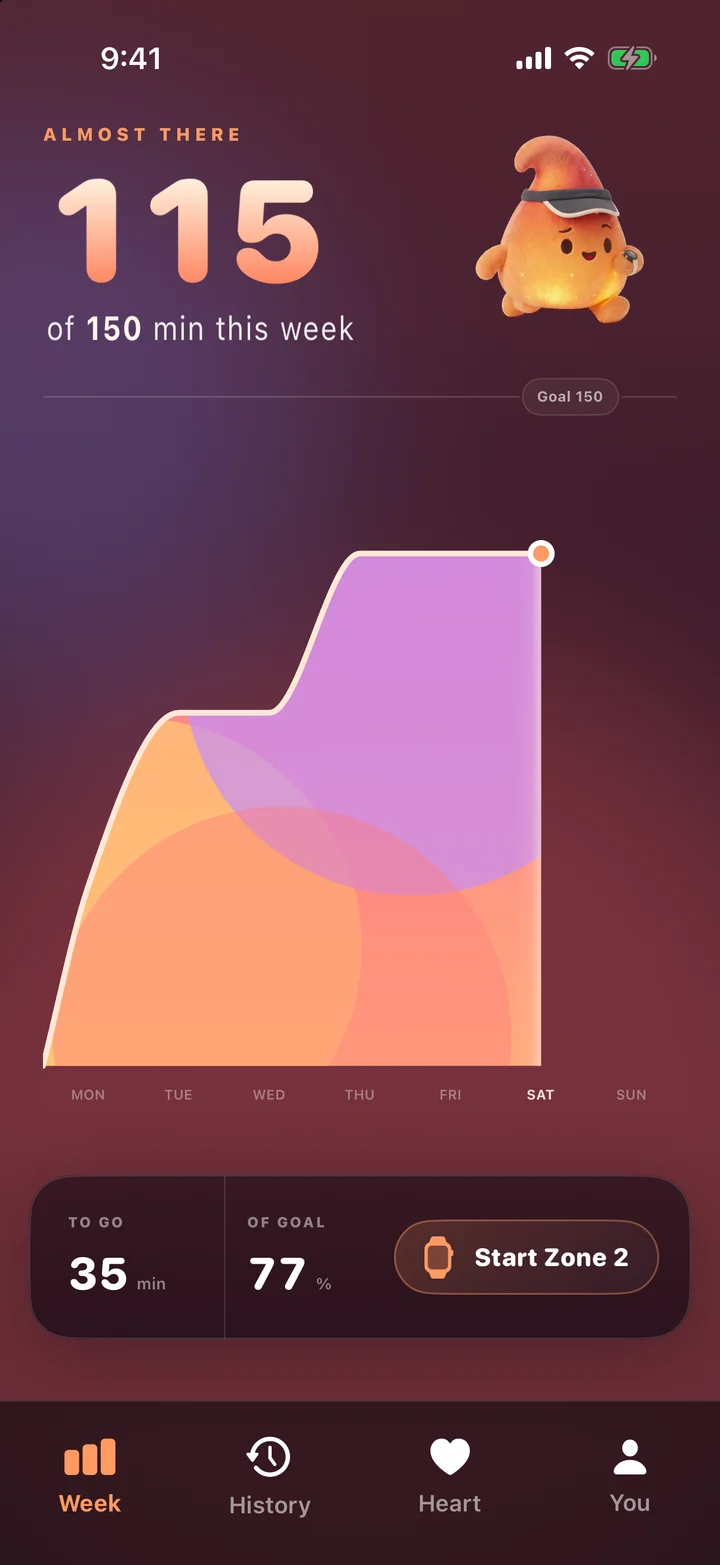
Base is built around a narrower question: what did your recorded workouts contribute to this week? It gathers qualifying zone 2 time into a weekly view, rather than asking you to keep a manual log of every session.
Its product story includes weekly progress, source details, history and glanceable surfaces. Base processes health data on your devices. It does not need a
Base is on the App Store for iPhone and Apple Watch.
One workout, one week, several places to glance
For existing Apple Health workouts, Base reads the available
For a new Base workout, start on Apple Watch or initiate it from the paired iPhone. Apple Watch records the workout; the phone can mirror the session. Below-, in- and
A complication is a small Base display on a compatible Watch face; a phone widget puts the weekly view on the Home Screen. Neither guarantees that every face supports every size or that a background view is instantly current.
See real Base Watch workout screens · See phone widgets and Watch complications · Help with a week that has not synced
Compare like with like
If two totals differ, first check that you are looking at the same date range, recorded workout and zone bounds. Total workout duration, Apple's Exercise Time and zone 2 time are different quantities. A
If Base is missing a recorded workout, the support page explains its Health access and evidence requirements. Do not send
Sources & further reading
Source types matter:
- Apple: view Heart Rate Zones on Apple WatchOfficial product documentation
- Apple Watch User Guide: Heart Rate Zones (watchOS 26)Versioned official documentation · checked September 22, 2026
- Apple: improve Watch measurement accuracyOfficial product documentation · March 10, 2026
- Meixner et al. (2025): individual variability in zone 2 intensity markersLaboratory study · 50 cyclists
Build the base. See your week.
Make room for the aerobic habit you want to keep. Base brings supported zone 2 minutes from recorded workouts into a clear weekly view on iPhone and Apple Watch. Your
Explore the benefits and science · See how Base works · Read the privacy notice